
Extract Subtitles from Videos
Turn hardcoded or audio-based subtitles into SRT files—with accurate AI translation.
Drag & drop a video, paste a link, or click to browse
Supported formats: MP4, MKV, AVI, MOV, WEBM. Max: 2 hours / 2GB
Extract Burned-in Subtitles & AI Translate in Seconds
Upload a video to extract subtitles and translations automatically. Fast, accurate, and seamless.
High Accuracy AI Vision
Specially engineered for burned-in video subtitles. Accurately captures hardcoded text even against noisy video backgrounds.
100% Fully Automated
Upload your video and our AI detects subtitle coordinates automatically. Zero manual croppings or adjustments.
Extract & 50+ AI Translation
Supports source text extraction and direct AI translation into 50+ target languages in one step.
3x Fast Processing
Processes in approximately 1/3 of the video's runtime (e.g. 1 hour video completes in ~20 minutes), delivering frame-aligned SRT fast.
Export SRT / VTT / ASS / TXT
One-click export into SRT, VTT, ASS, or TXT format for seamless editing in Premiere, Final Cut, or CapCut.
Privacy First & Data Cleanup
Your uploaded videos are used solely for subtitle extraction and automatically wiped after processing.
How to Extract Hardcoded Subtitles from Videos Online
Follow these 4 simple steps to extract, AI translate, and convert burned-in video subtitles into downloadable SRT or text files.
- Step 1
Upload Video File or Paste YouTube Link
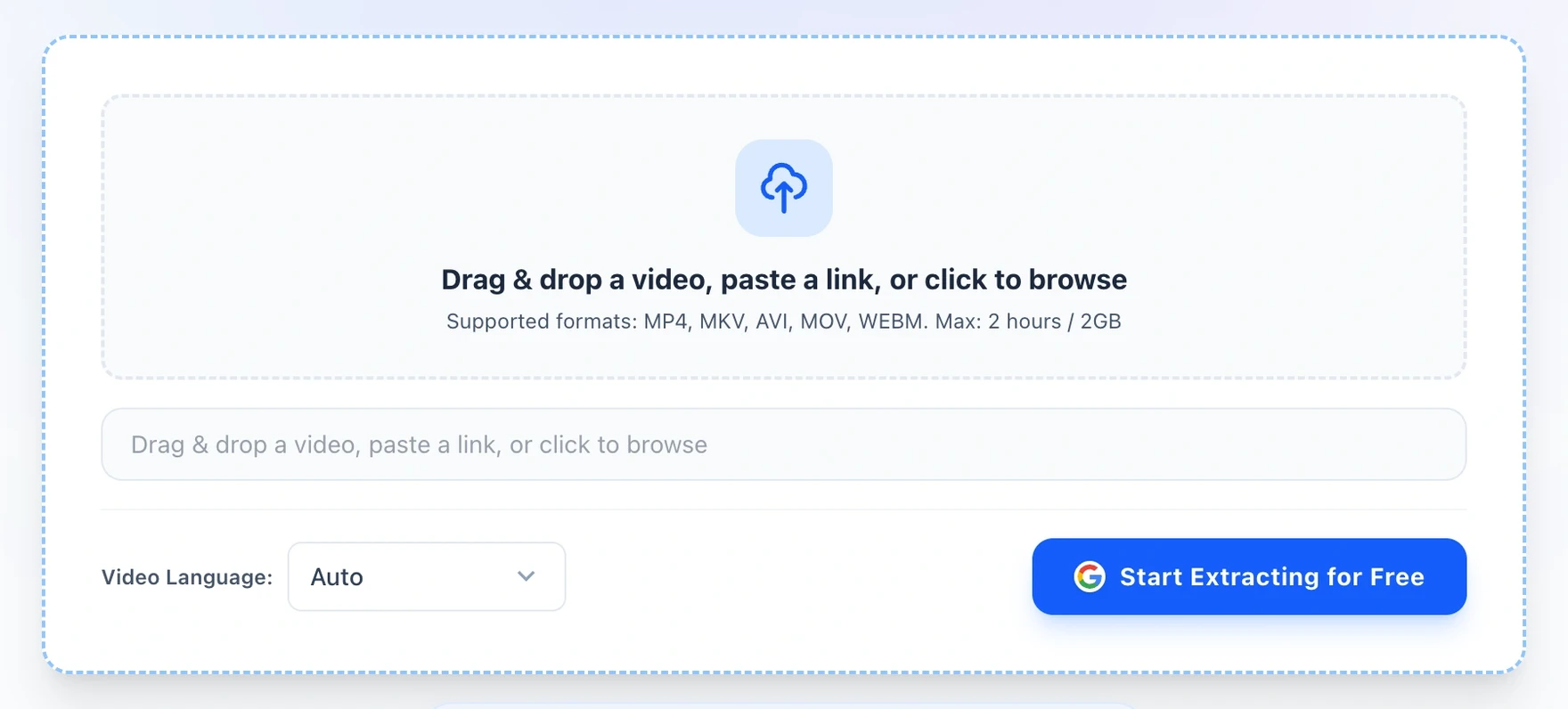
Drag and drop your video file directly into the upload area or click to browse. VidFoil supports all standard formats including MP4, MKV, MOV, AVI, and WebM (up to 2GB in size / 2 hours in duration). Alternatively, paste a YouTube video link to import directly.
- Step 2
Configure Subtitle Language
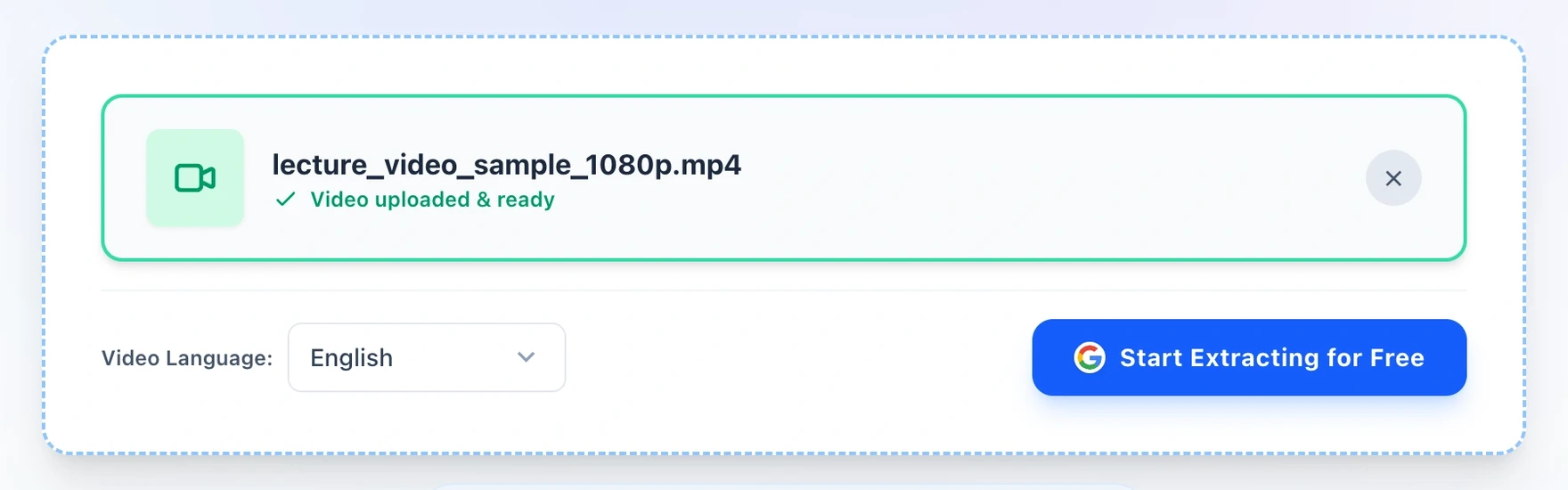
Keep Auto-Detect enabled or select the video's burned-in subtitle language from over 50 options (English, Chinese, Japanese, Spanish, etc.).
- Step 3
Track Progress, Export & AI Translate
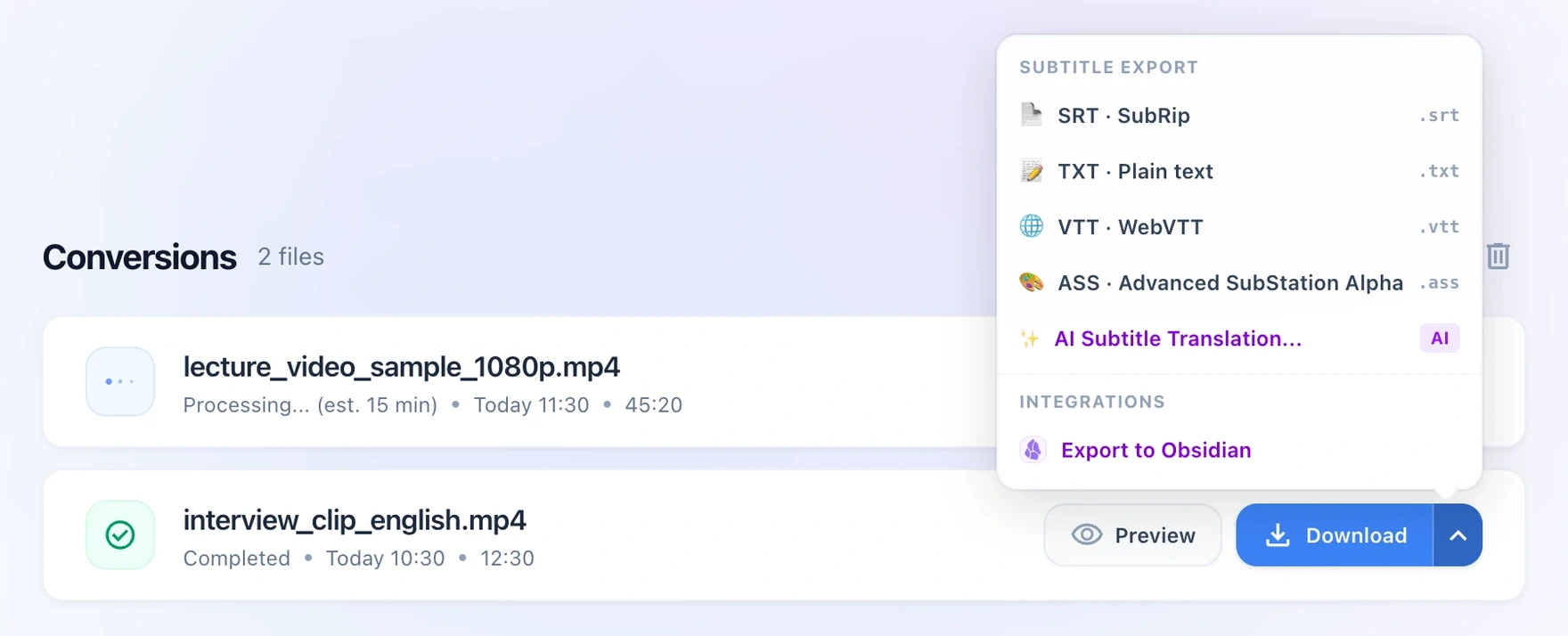
Click Start Extracting to monitor real-time progress in Recent Conversions. Once completed, download multiple subtitle formats or click 'Translate Subtitles' to AI translate into 50+ languages.
- Step 4
Preview Subtitles & Timestamp Editor
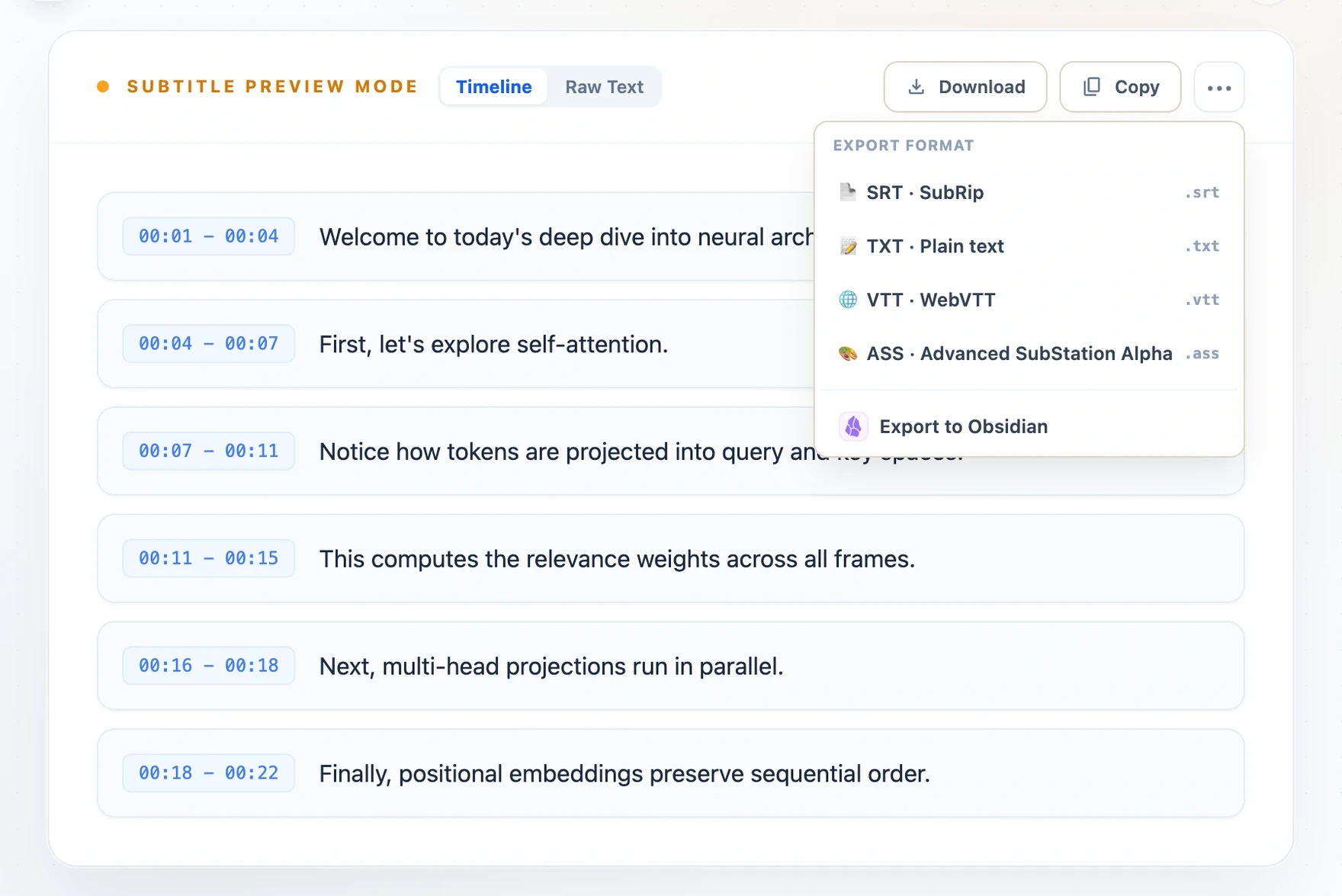
Click Preview on any completed video to view and verify subtitles. Switch seamlessly between timeline cards and raw text, or export ready-to-use subtitle files and Obsidian notes.
VidFoil.app offers an effortless, high-precision solution to extract and AI translate hardcoded subtitles from video files. Unlike traditional demuxer extractors that rely strictly on existing text metadata tracks, VidFoil uses state-of-the-art AI vision models to read burned-in text pixels directly from video frames with unmatched accuracy.
Beyond source extraction, VidFoil incorporates a built-in multilingual AI translation engine. Supporting Chinese, English, Japanese, Korean, and 50+ languages, users simply select their target Output Language to get cross-translated SRT, VTT, ASS, or TXT subtitle files in a single automated step.
1,200 one-time credits · never expire. Up to 2h subtitle extraction. Credits never expire.